A common data environment (CDE) is the agreed single source of information for a building project or asset. Every drawing, model and document is collected, checked, shared and issued there, through a managed process, so everyone works from the current version and the project can show who had what, and when.
The term comes from ISO 19650, the international standard for managing information over the life of a built asset. It’s often used as if it meant a piece of software. It doesn’t, quite.
A process first, software second
ISO 19650 separates two things. The CDE workflow is the process: how information moves, who checks it, who can see it and what it may be used for. A CDE solution is the technology that runs the workflow.
The difference matters, because the software is the easy part. A shared drive with folders called “work in progress” and “published” isn’t a CDE if anyone can drag a file from one to the other. A document management system isn’t one either, unless the rules behind it are enforced: a file reaches “published” only once someone with the authority has authorised it.
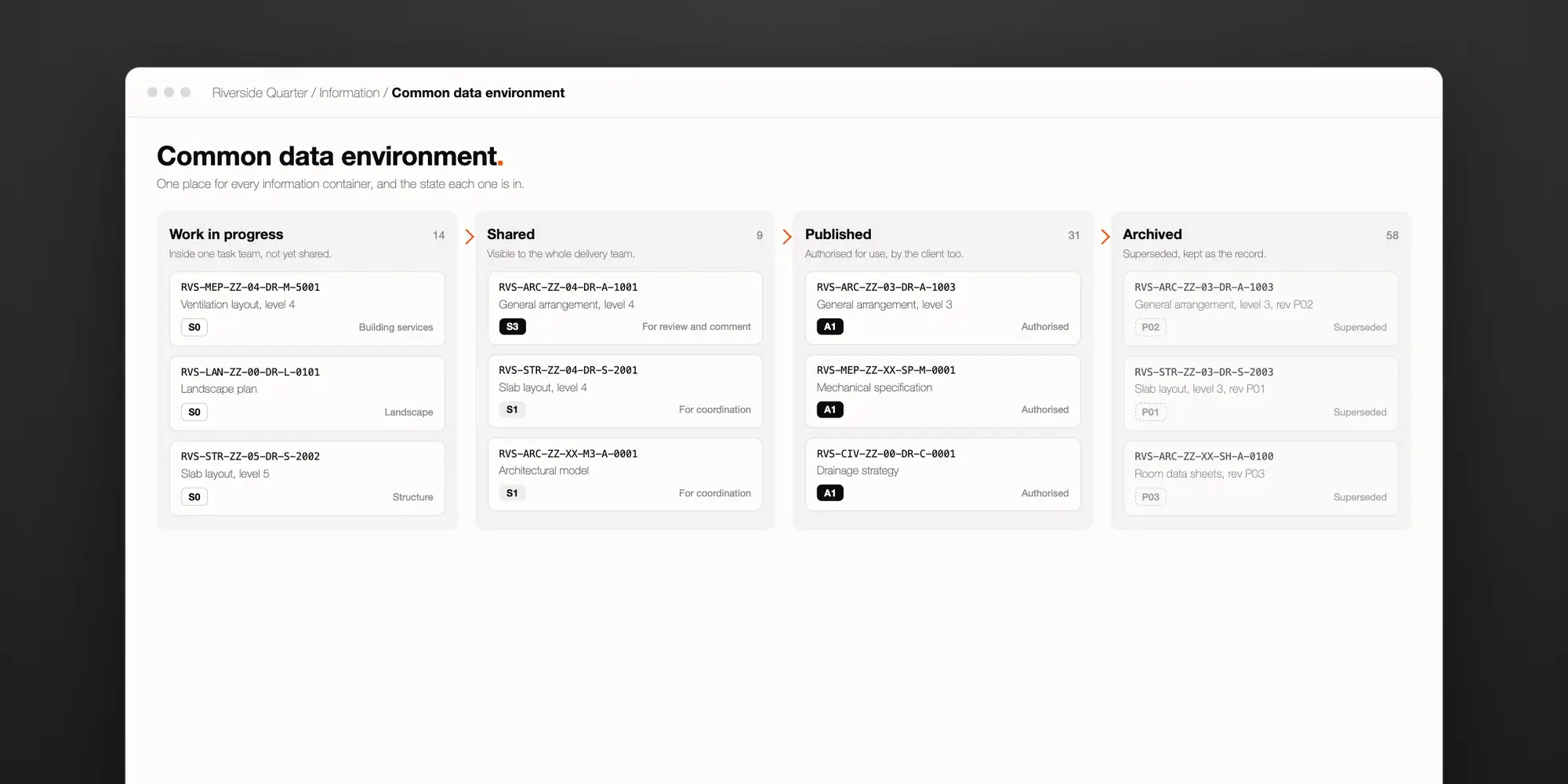
The four states
Every piece of information in a CDE is in one of four states, and moves between them through checks.
- Work in progress. The information is being produced inside one task team, such as the architect’s or the structural engineer’s. Nobody else sees it.
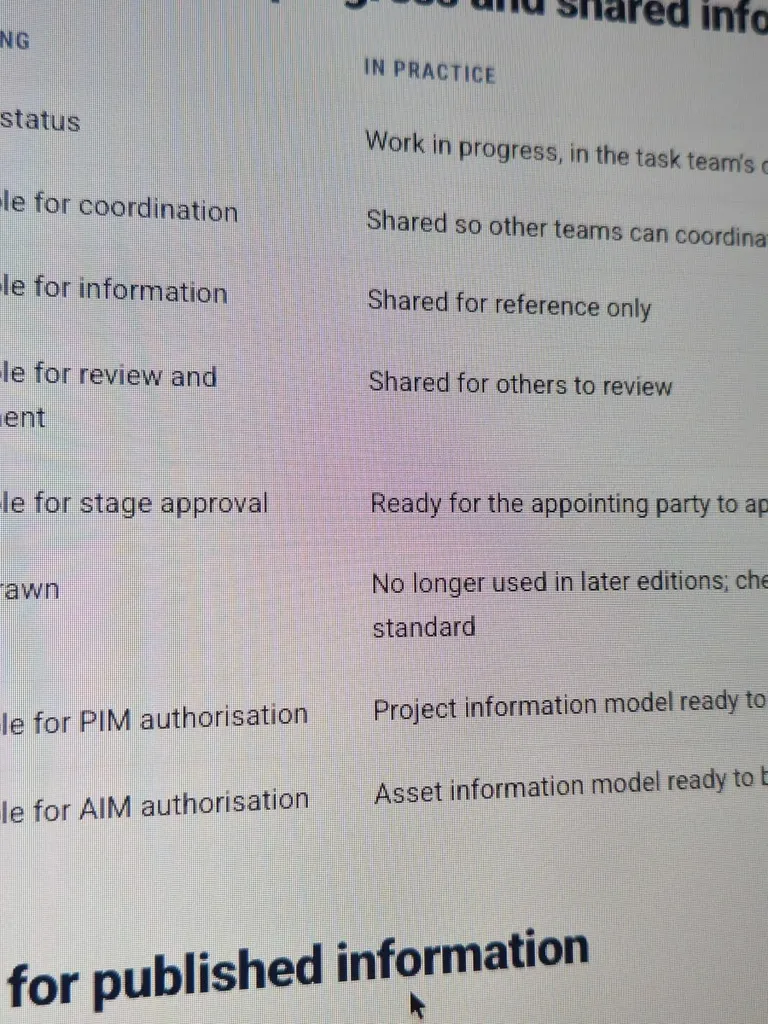
- Shared. The task team has checked, reviewed and approved it, and released it to the wider team for coordination, comment or information. Others can work with it, but not build from it.
- Published. The lead appointed party, such as the lead designer or main contractor, has authorised it, and the client has accepted it. Now it can be used: for construction, for a contract, for handover.
- Archived. Superseded versions, and the record of every change of state, kept for the life of the asset.
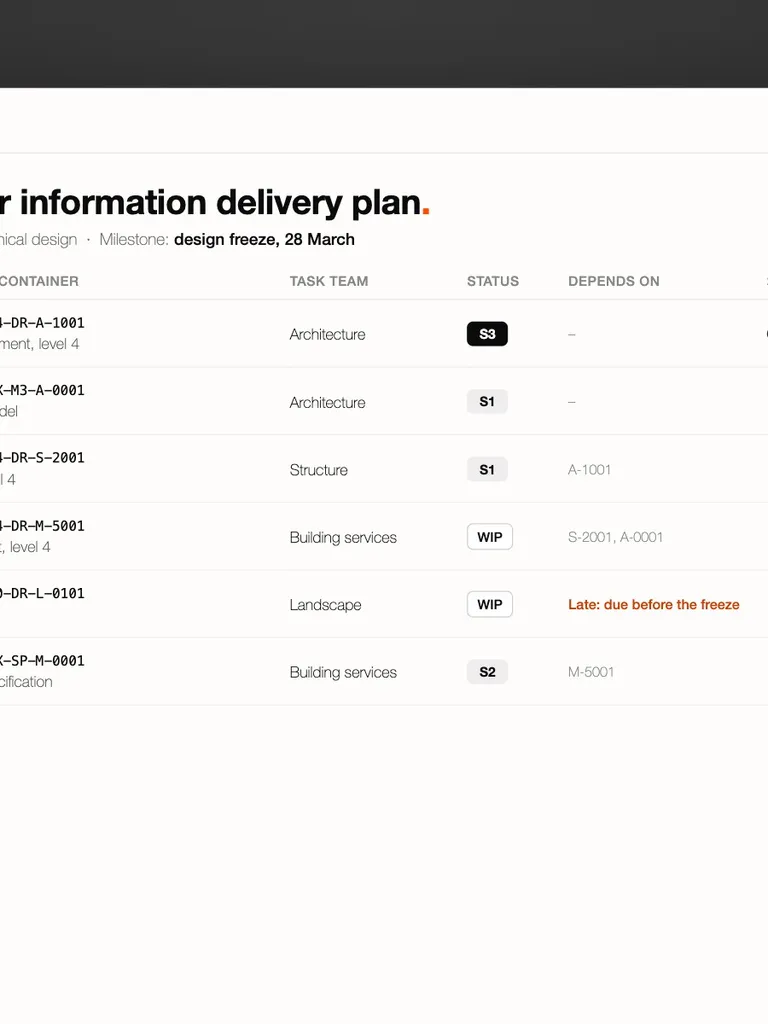
Each file carries metadata alongside its name: a status code that says what it’s suitable for, and a revision code that says which version it is. Our guide to the naming convention and status codes sets the codes out.
What a CDE has to do
In practice, a CDE has four jobs. It’s only as good as the weakest of them.
- Identity. Every document has one name, built from fields rather than typed by hand, so the same drawing can’t be filed under two names.
- State and suitability. What a document may be used for belongs to the document, not to the folder it happens to sit in.
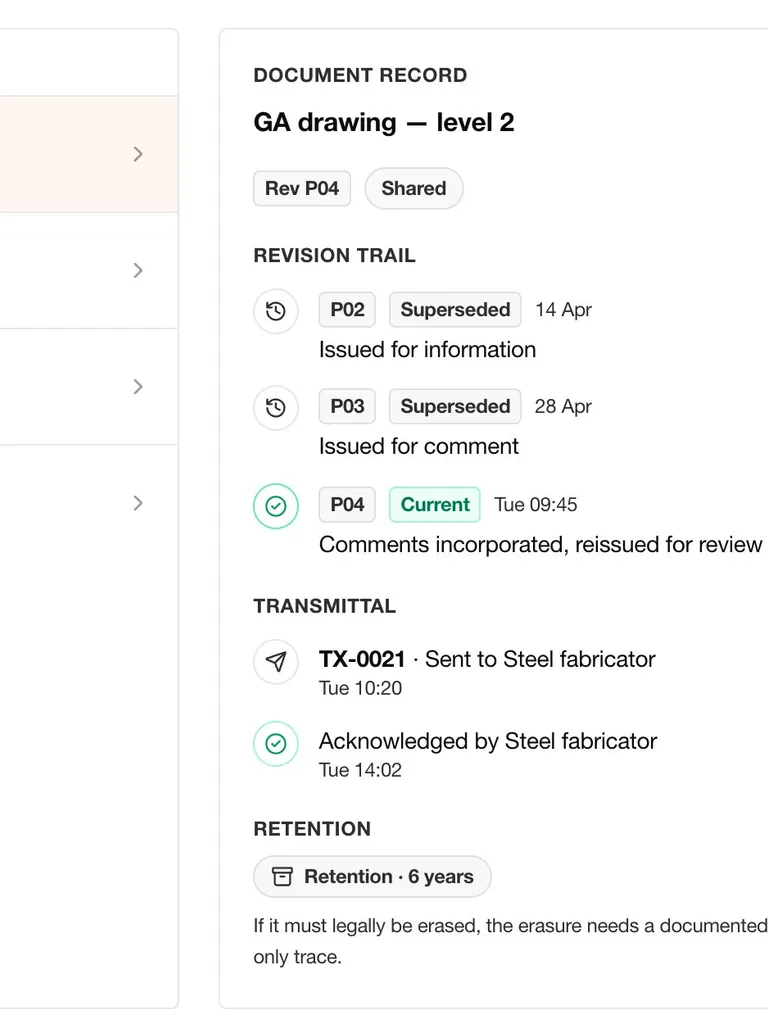
- Succession. A new revision supersedes the old one. The old one stays readable, and stays marked as no longer current.
- Exchange. Issuing something to another party is a record: who, which revision, when, and whether they acknowledged it. That record is a transmittal, and our guide explains transmittals.
Behind all four sit two more: access, so each firm sees what it should and no more, and an audit trail, so every change of state shows who made it and when.
Who sets it up
Under ISO 19650-2, the client, which the standard calls the appointing party, establishes the project’s CDE before the tender, so it’s ready when the first firm is appointed. The client can have a project manager or information manager do the work, but the CDE is the client’s.
On large projects, delivery teams often keep their own work in progress in their own systems, and share into the client’s CDE once it’s checked. That works, as long as there’s still one place where shared and published information lives, and one record of what was issued to whom.
How it fails
Most projects say they have a CDE. These are the usual signs that the real one is somewhere else.
- The real record lives in email. Drawings go out as attachments, and someone updates a register afterwards, if they remember. Anything recorded by hand after the fact is a summary written by someone who already knows how things turned out. It keeps the conclusion and loses the evidence.
- Status by folder. Moving a file into “published” stands in for authorising it.
- Names typed by hand. The same drawing turns up under two names, and nobody is sure which is current.
- One per contractor. Each delivery team runs its own system, and the client’s single source of information turns out to be several.
- Forgotten at handover. The CDE closes at completion, and the operator gets an export nobody can search.
On One Bangkok, where we ran programme governance, the record of what happened lived in email, chat and drawing revisions rather than in the tracker. It’s common on large programmes, and it’s the problem a CDE exists to solve.
What to look for in a CDE solution
- Names built from the project’s fields and checked when a file is uploaded.
- Status and revision held as metadata, with the gates between states enforced, not advisory.
- Superseded revisions kept, readable and clearly marked.
- A numbered record of every issue, acknowledged by the recipient.
- Access set by party and by role.
- An audit trail of every change of state.
- Native files held as they are, alongside open formats such as IFC (Industry Foundation Classes), the open format for exchanging building models.
- A handover the operator can actually use.
How ddx PMO does it
ddx PMO, our project management office (PMO) platform, files drawings and documents in a CDE inside the project record. Each document moves through the four states. Names are built from fields and checked on upload. Issuing a file raises a numbered transmittal, and suppliers acknowledge it in a portal of their own, which shows them only their own engagement. Every file under control also joins the project’s wider record of risks, issues, decisions and actions.
It isn’t a modelling tool. It holds native CAD (computer-aided design) and BIM (building information modelling) files, names them, versions them and issues them, but it doesn’t open, combine or clash-check the models. It sits beside the tools design teams already use.
Read more about the PMO platform.
Questions people ask
Is a CDE the same as document management software?
They overlap. A CDE adds what ISO 19650 asks for: the four states, the checks between them, status and revision codes, and a record of every exchange between parties.
Can a shared drive be a CDE?
Only if the process behind it is enforced: unique names, controlled states, kept revisions and recorded issues. In practice, a shared drive rarely manages more than the folders.
Who owns the information in a CDE?
The client establishes the CDE. Who owns and may use the information in it is set by the information protocol in each appointment, not by where it’s stored.